Film Fade Canvas filter
✦ Warm grain-era mood, without the old camera.
A vintage photobooth online for warm film-style photo strips
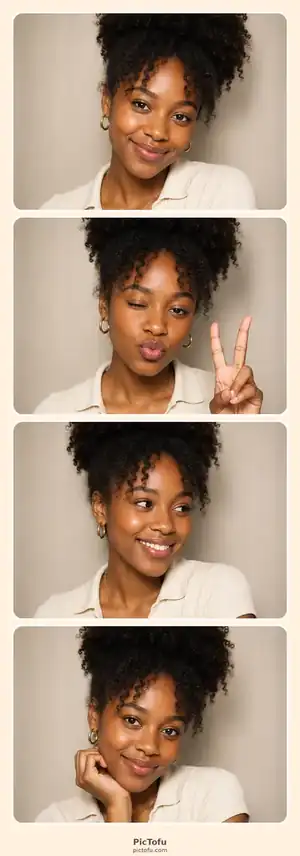
Vintage Film starts from the Film Fade color treatment and Vintage Film frame. It is for portraits that should feel less glossy and more like a little strip found in a drawer years later.
▣ Photos are processed in your browser and stay out of a PicToFu cloud photo gallery.
PicToFu presetVintage Film
Quick answer
What can you do on this page?
Make a warm vintage photo strip online with the Film Fade filter, Vintage Film frame and local browser PNG export.
- Runs in
- A modern web browser
- Account
- Not required
- Photo processing
- In the browser
- Output
- One finished PNG photo strip
Vintage Film frame
Browser-local PNG composition
How it works
From link to finished strip in three steps
- 1
Open the Vintage Film preset with Film Fade ready.
- 2
Capture four expressions or poses.
- 3
Adjust the frame or filter if you want, then export one finished strip.
Quick answers
About this PicToFu experience
Does PicToFu add a vintage filter to the exported file?
Yes. The Film Fade treatment is applied in the Canvas compositor before PNG export.
Is this an AI filter?
No. The current vintage look uses browser image filtering and Canvas composition; it does not require an AI image model.
Ready when you are.
No install, no account — open the preset and make the strip.
Start Vintage Film booth ✦